
Chapter 005
Create and configure projects
Maintain project data, icons, memberships and AI redaction.
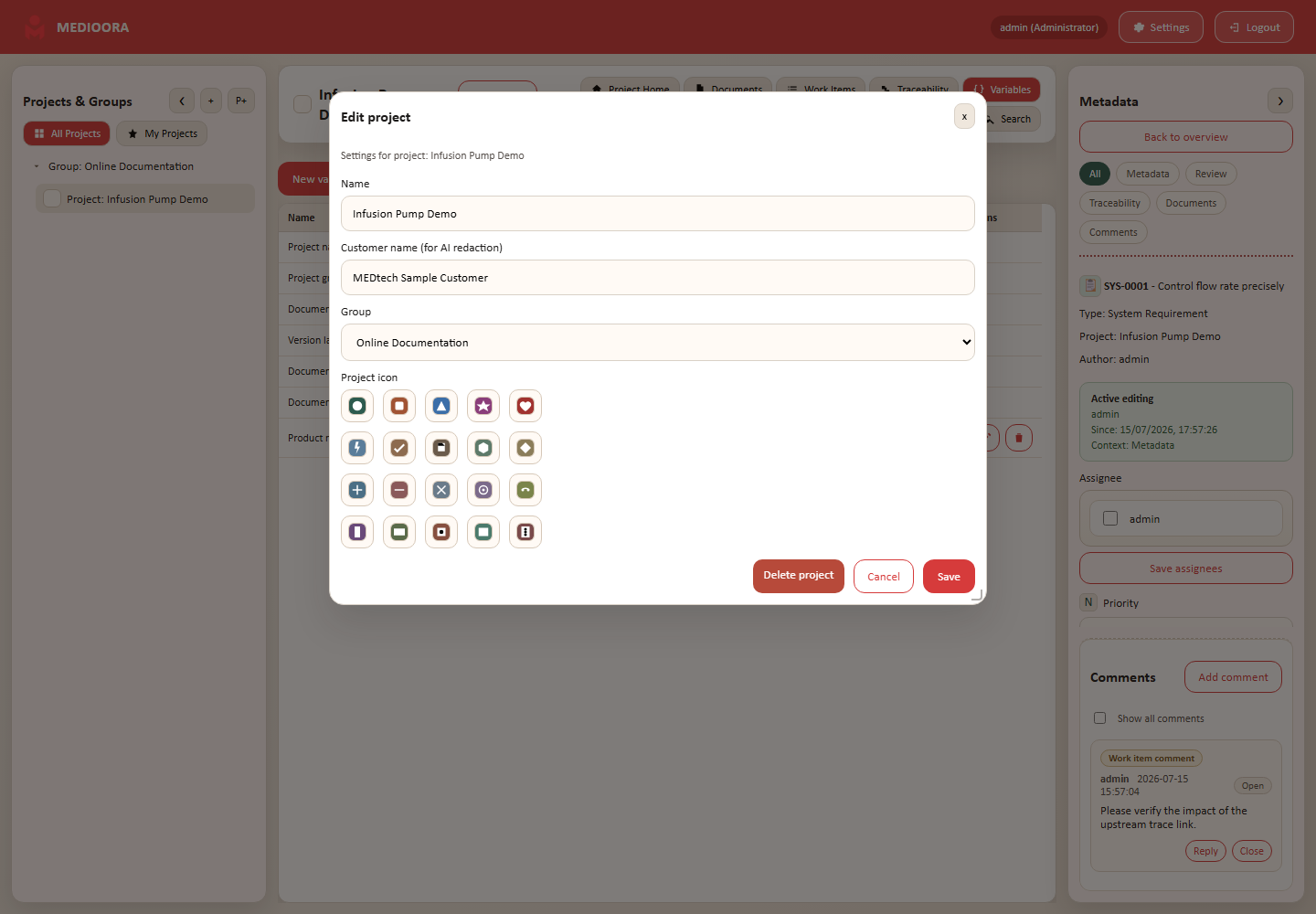
Create and edit
Select an optional group, choose P+ and enter a name. The creator becomes project administrator. Edit project name, customer, group and icon through the project dialog.
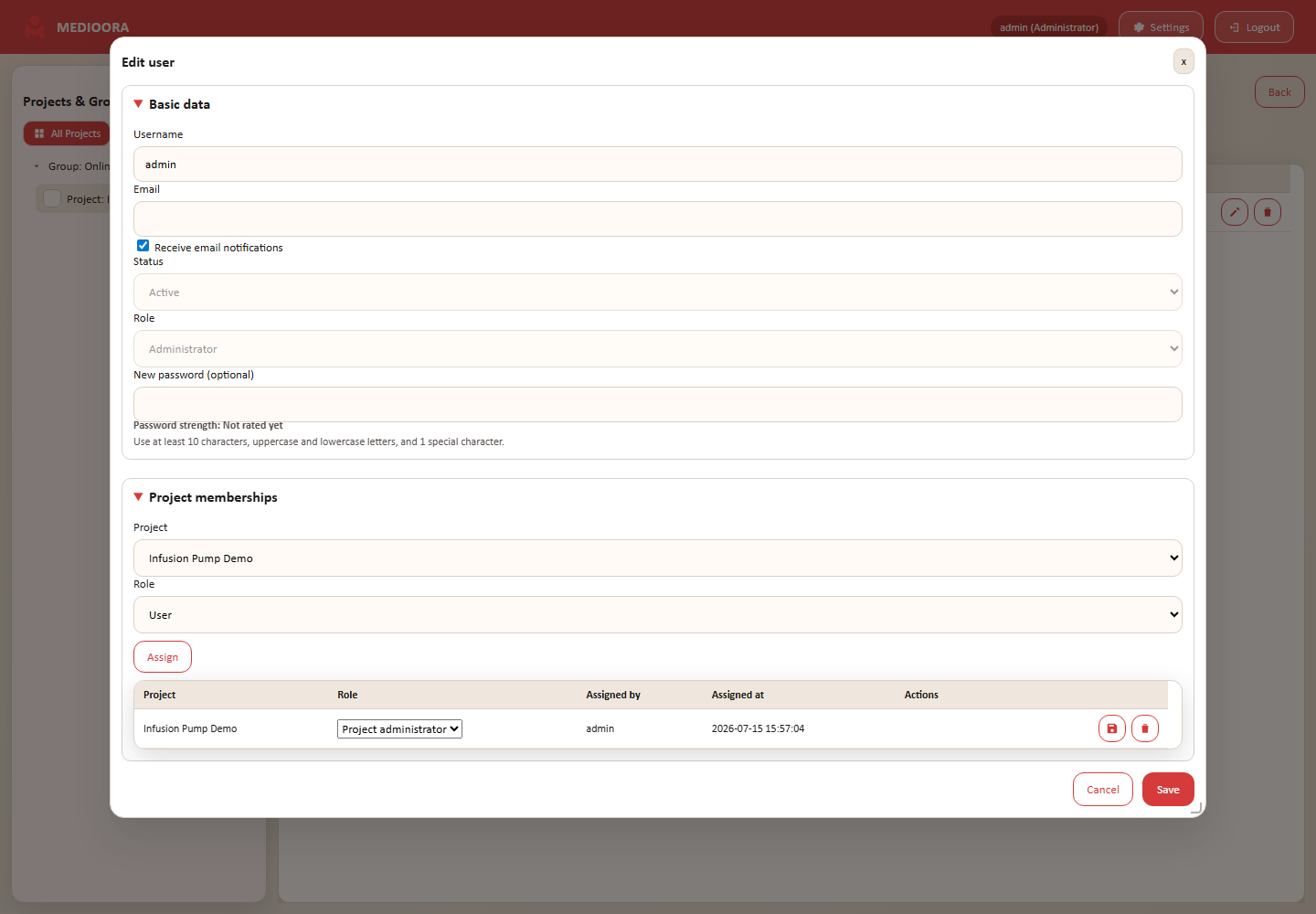
Add members
- Open Settings → Users.
- Edit an existing user.
- Under Project memberships choose project and role.
- Add, update or remove the membership.
Customer and AI redaction
The selected project icon appears in navigation. Before AI requests, the project customer is automatically replaced with a token such as CUSTOMER_01; user-defined redaction terms are treated likewise. Tokens are restored locally in the response.