
Work items in detail
Open, share, edit and bulk-process central work items.
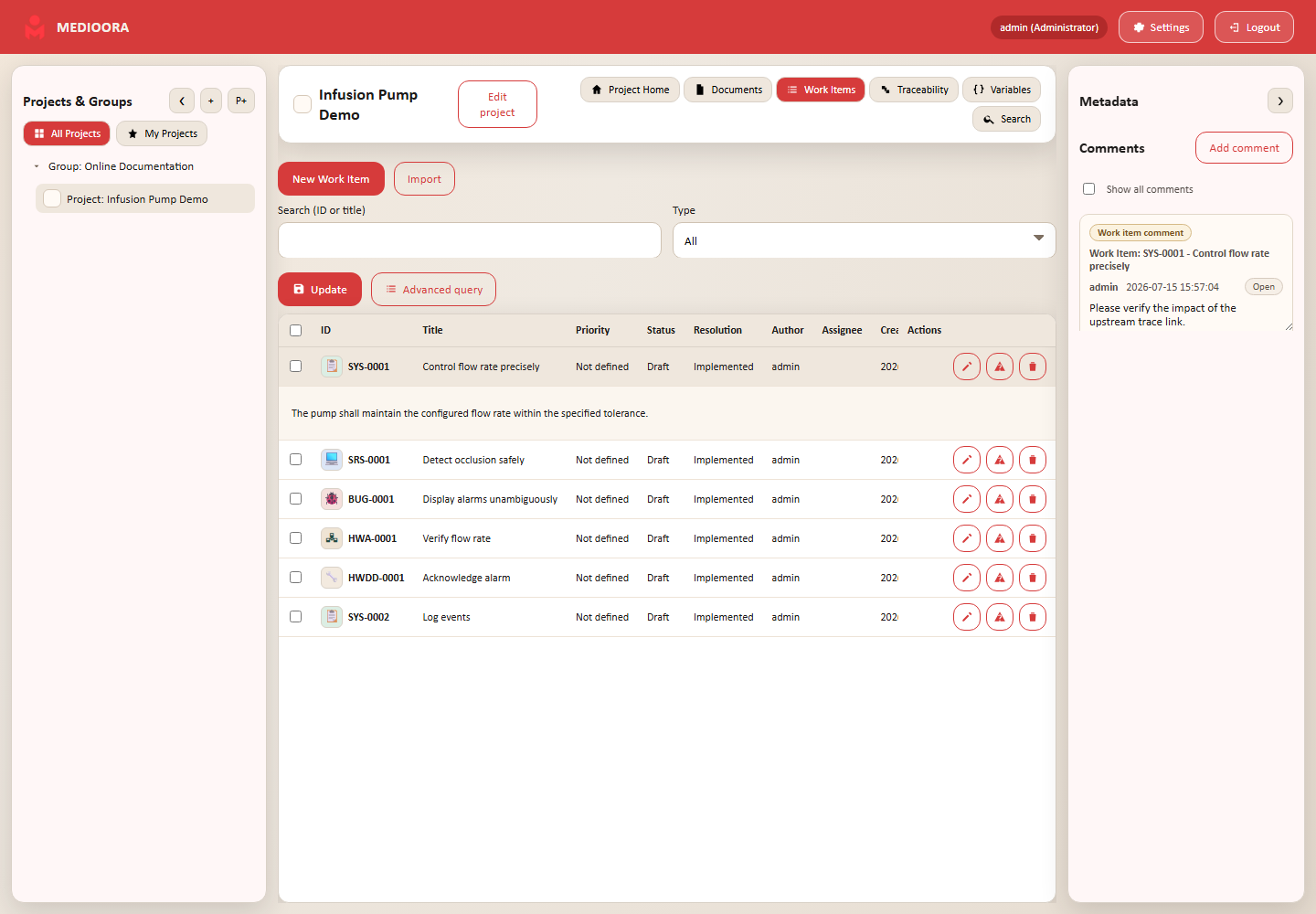
Detail view and URL
Click a row to expand it. The URL changes to include the item ID and can be shared with project members. The right sidebar updates metadata, review, traceability, document usage and comments. The edit icon opens the popup.
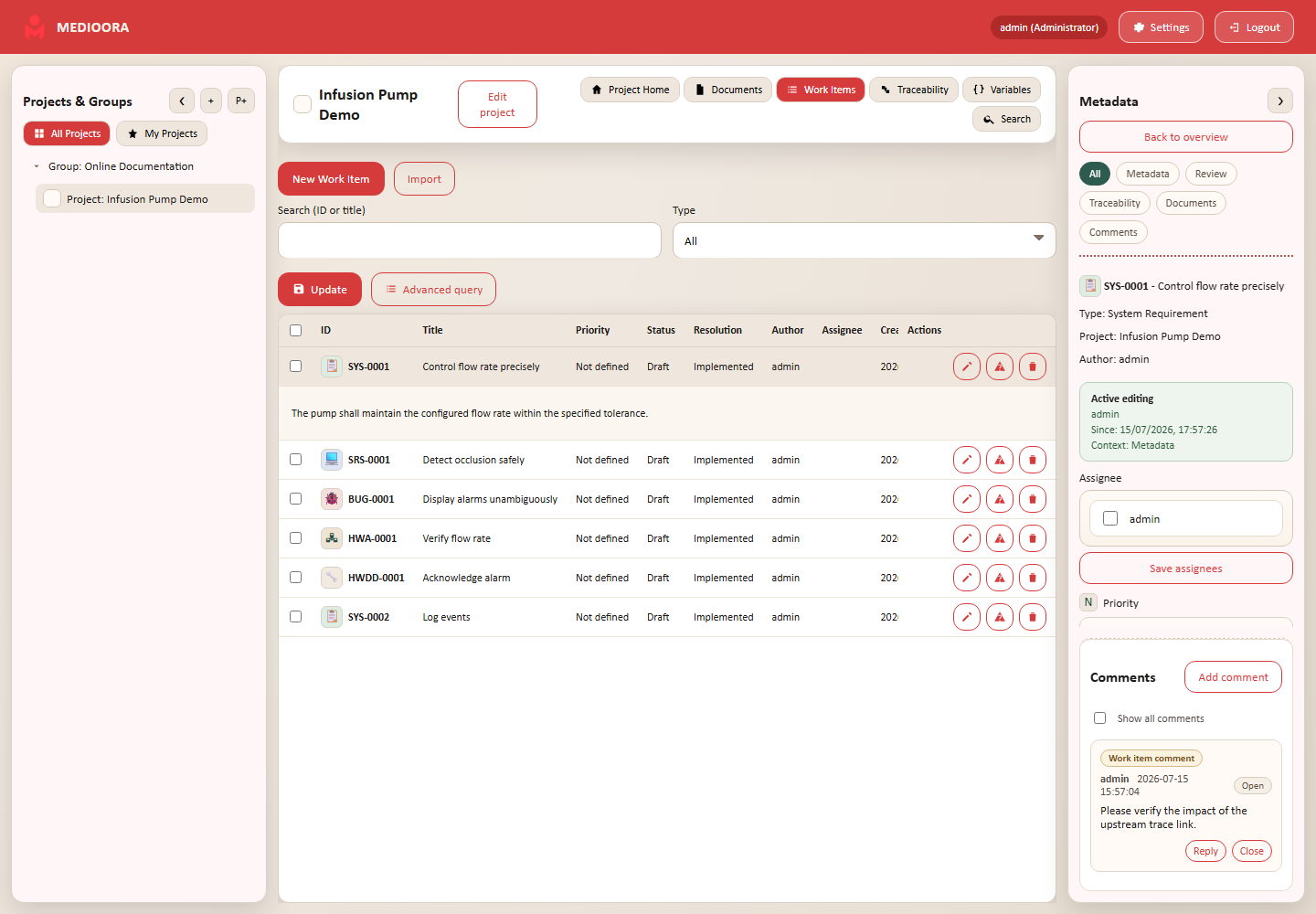
Metadata and lifecycle
Type and code identify the layer; author is the creator; priority expresses urgency; status represents lifecycle; resolution records the outcome; assignees own implementation; reviewers make formal decisions; test result is used for test items. Accepted and Denied are final and lock content and links. Returning to a non-final status resets reviews.
Collaboration, suspect and bulk
LOCK prevents concurrent overwrites, NEW reports remote changes, and suspect requires impact assessment after an upstream change. Select several rows to export or bulk-edit status, assignees and reviewers.
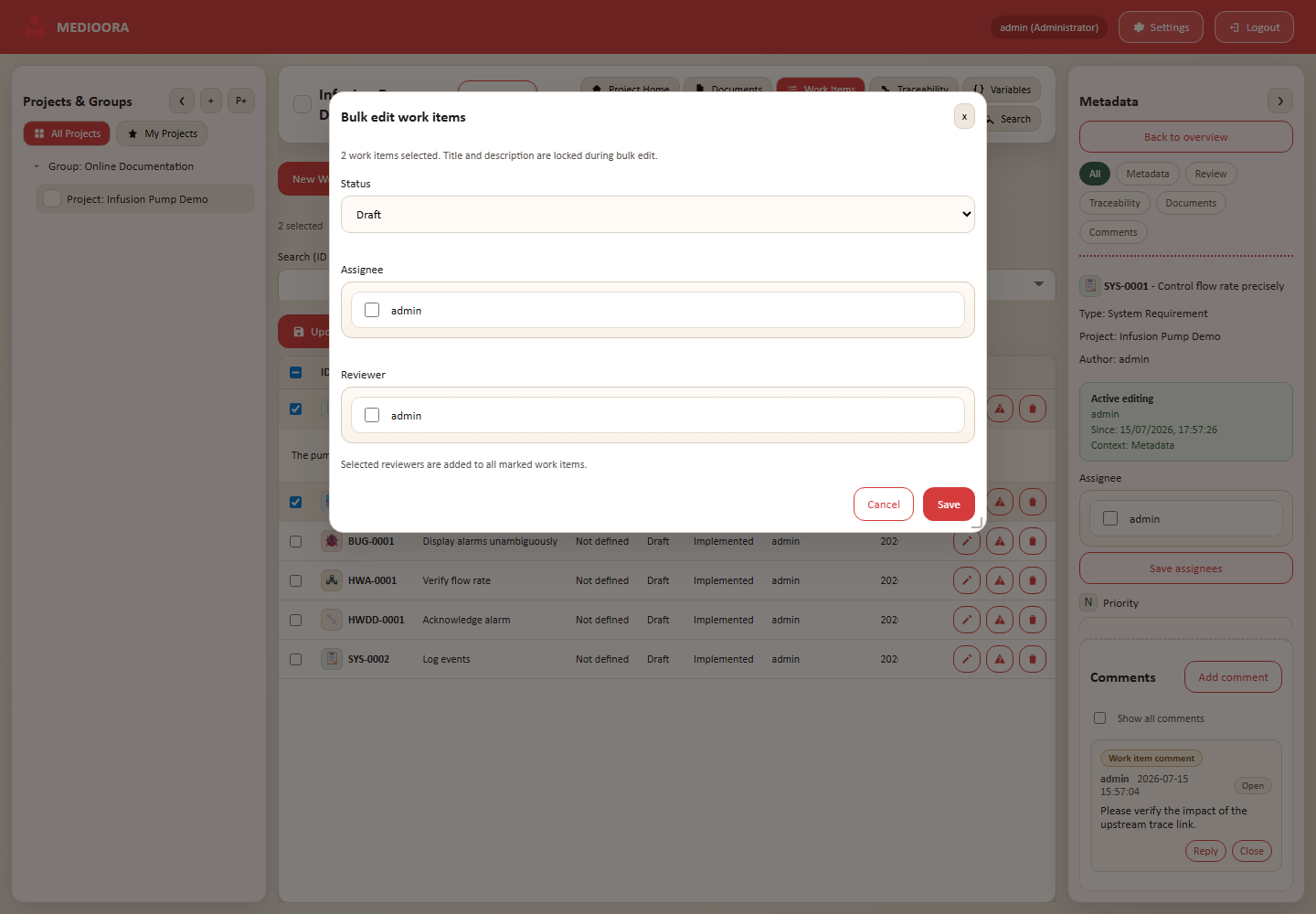
See chapter 022 for CSV.
Default types
MEDIOORA includes System/Software/Hardware/Mechanical Requirements, Architecture, Detailed Design and Tests, plus Risk Mitigation and Bug. Icons and prefixes such as SYS, SRS, HRS, MRS, SWA, HWDD, STS, SWTS and BUG identify them. Administrators may configure visuals and schemas.