
Chapter 011
Work items inside documents
Insert real blocks and edit them inline with review and collaboration indicators.
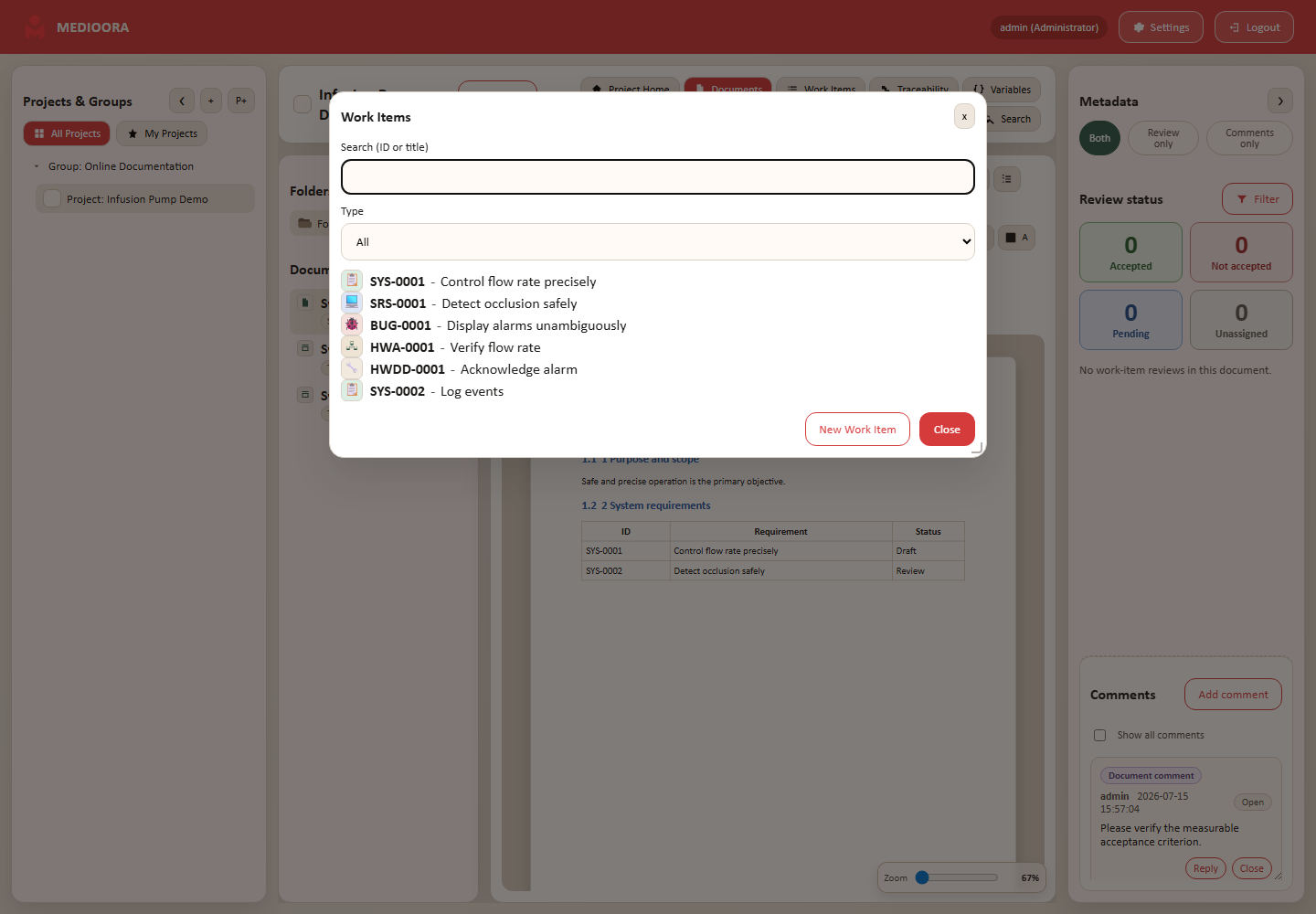
Insert
Place the cursor, select Insert Work Item, search by code/title and choose the item. Alternatively create a new item or convert selected text.
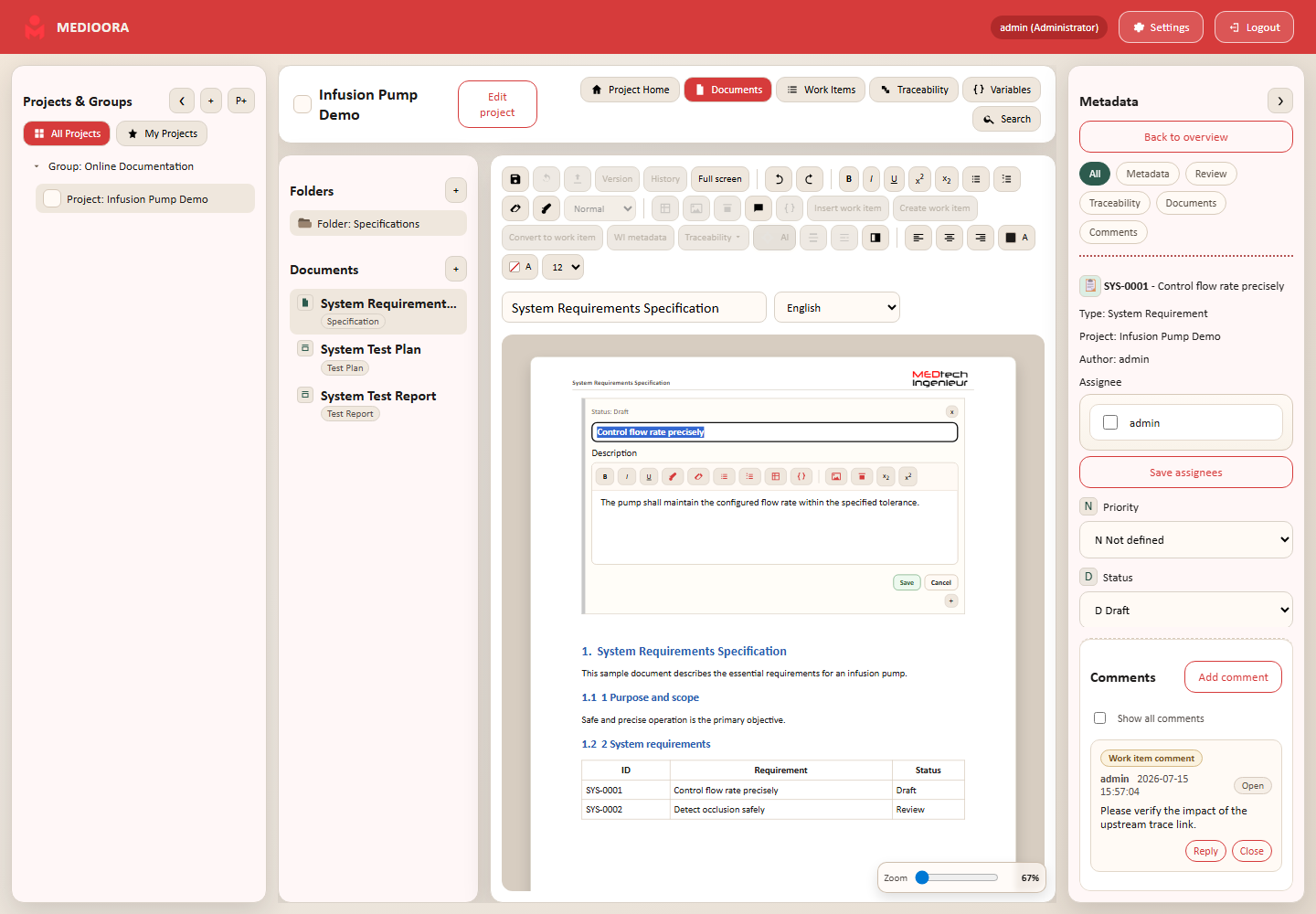
Inline editor
Open the block inline editor to modify allowed rich-text fields and save or cancel. Metadata remains available in the right sidebar.
Badges
Review colors are green accepted, red rejected, blue pending and gray unassigned. LOCK, NEW and suspect appear on the block. Final items and historical versions are read-only.