
Chapter 008
Document editor and toolbar
Use every editor command, full-screen mode and display zoom.
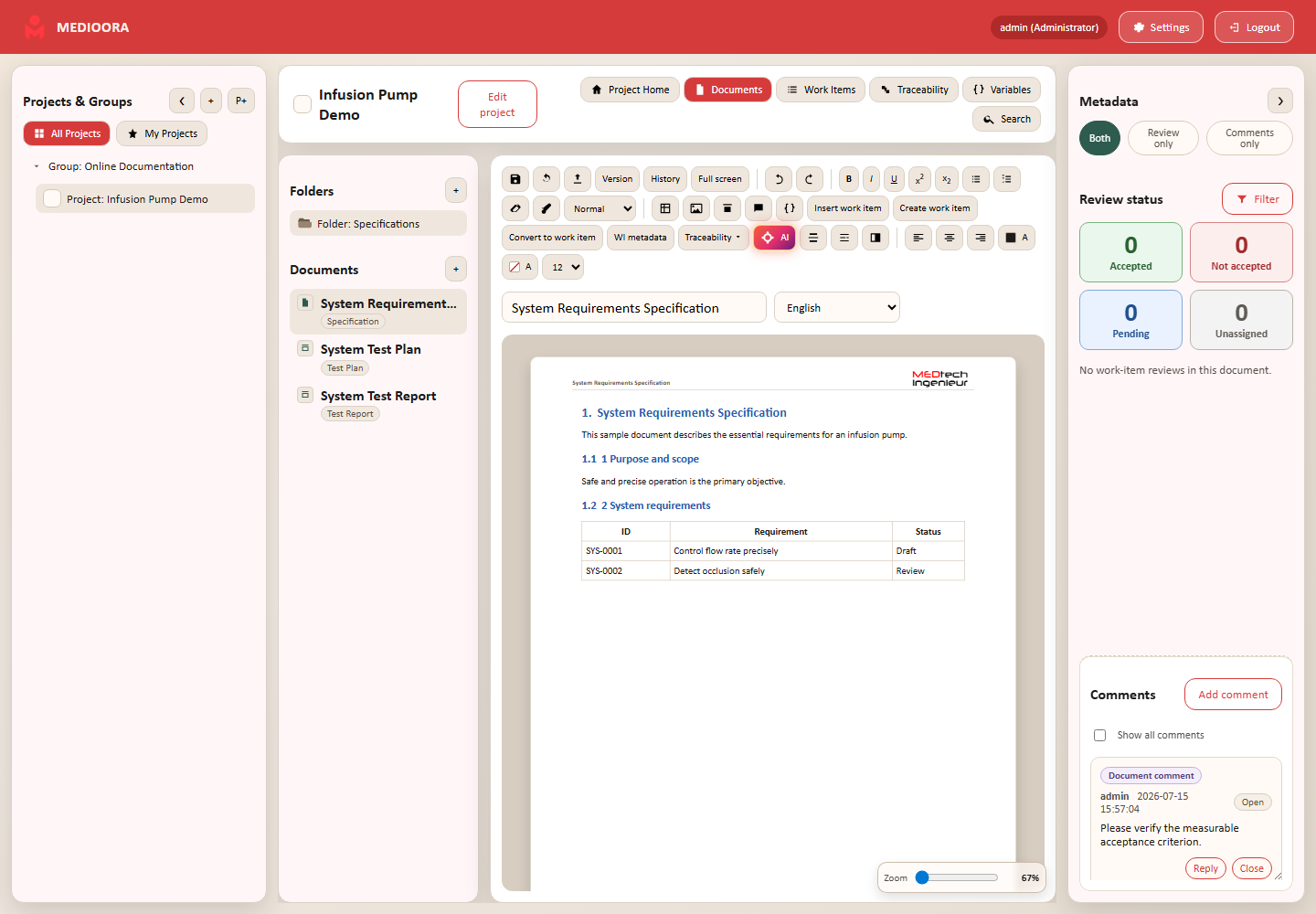
Editor
The white page contains document content; header and footer come from the template or document branding. Save before navigation. Full-screen mode hides navigation while the zoom control changes display only, not the exported paper size.
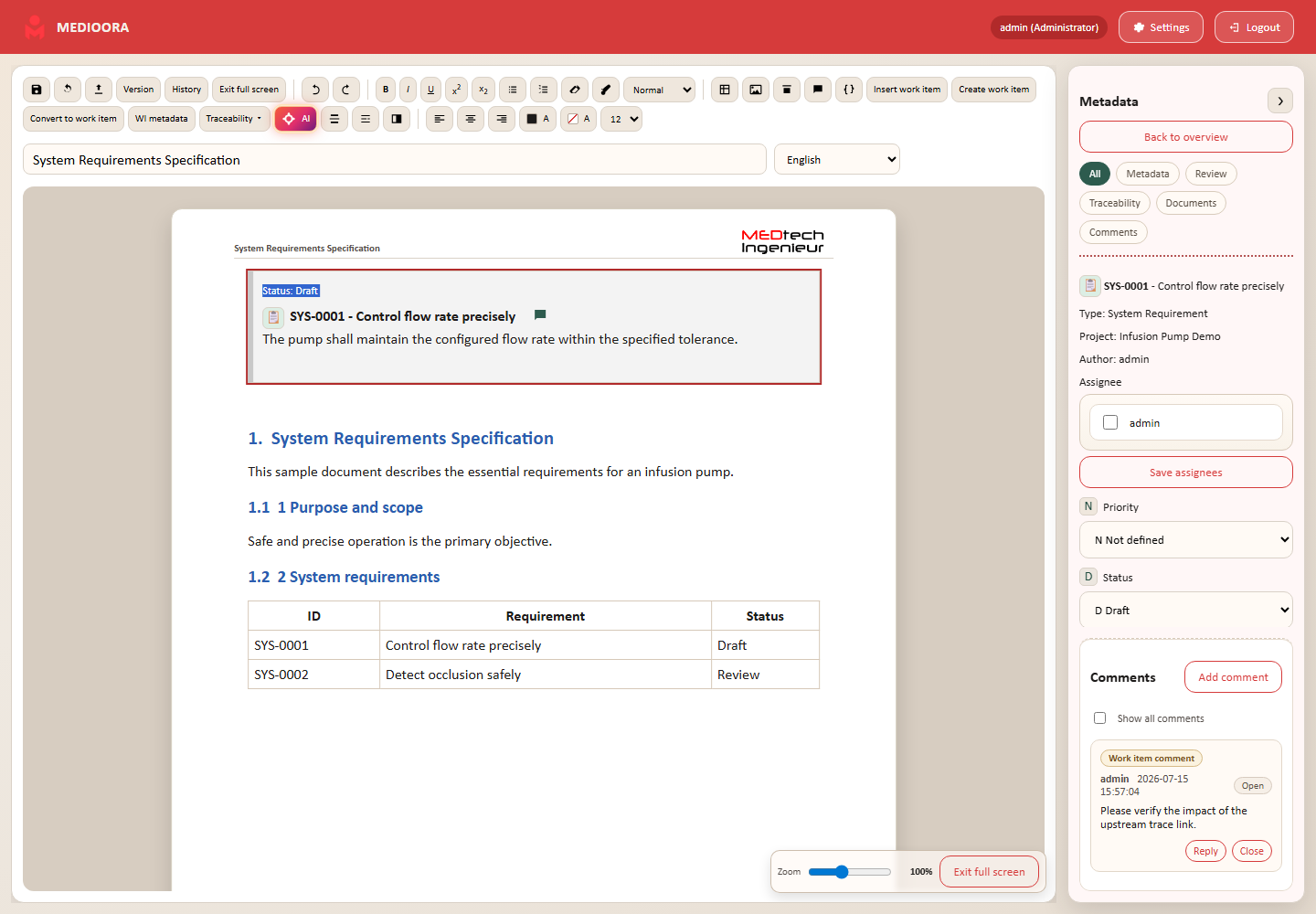
Toolbar reference
| Tool | Purpose |
|---|---|
| Save / Refresh | Persist the document or reload work items. |
| Export / Version / History | PDF/RTF and frozen snapshots. |
| Undo / Redo | Reverse or repeat editor changes. |
| B/I/U, super/subscript, lists | Character and list formatting. |
| Eraser / painter / styles | Remove, copy or apply paragraph styles. |
| Table / image / Draw.io | Insert structured content and media. |
| Comment / Variables | Add a discussion or reusable value. |
| Work-item commands | Insert, create, convert selection or configure metadata. |
| Traceability / AI | Document trace table or AI panel. |
| Page break / TOC | Control pagination and table of contents. |
| Alignment / colors / font size | Visual formatting. |
Structure
Use heading levels consistently so the TOC is reliable. Page breaks affect export. Remove unwanted formatting after pasting external content.